When you choose a new piece of software, it is easy to focus entirely on its standalone features. You look at the email builders, analyze the monthly pricing tiers, and test the template designs. However, software does not live in isolation.
If your email marketing platform cannot talk to your e-commerce storefront, your customer relationship management (CRM) database, or your social media accounts, you create a massive operational bottleneck. Your team ends up manually exporting and importing CSV files of customer lists every week, leading to outdated contact data, human error, and wasted time.
This detailed guide focuses on a critical battleground for two well-known email marketing service providers: Constant Contact and Campaigner. We will break down exactly what software integrations are, how they function, and how these two platforms compare when connecting to the third-party applications your business relies on every day.
What Are Integrations and Third-Party Apps?
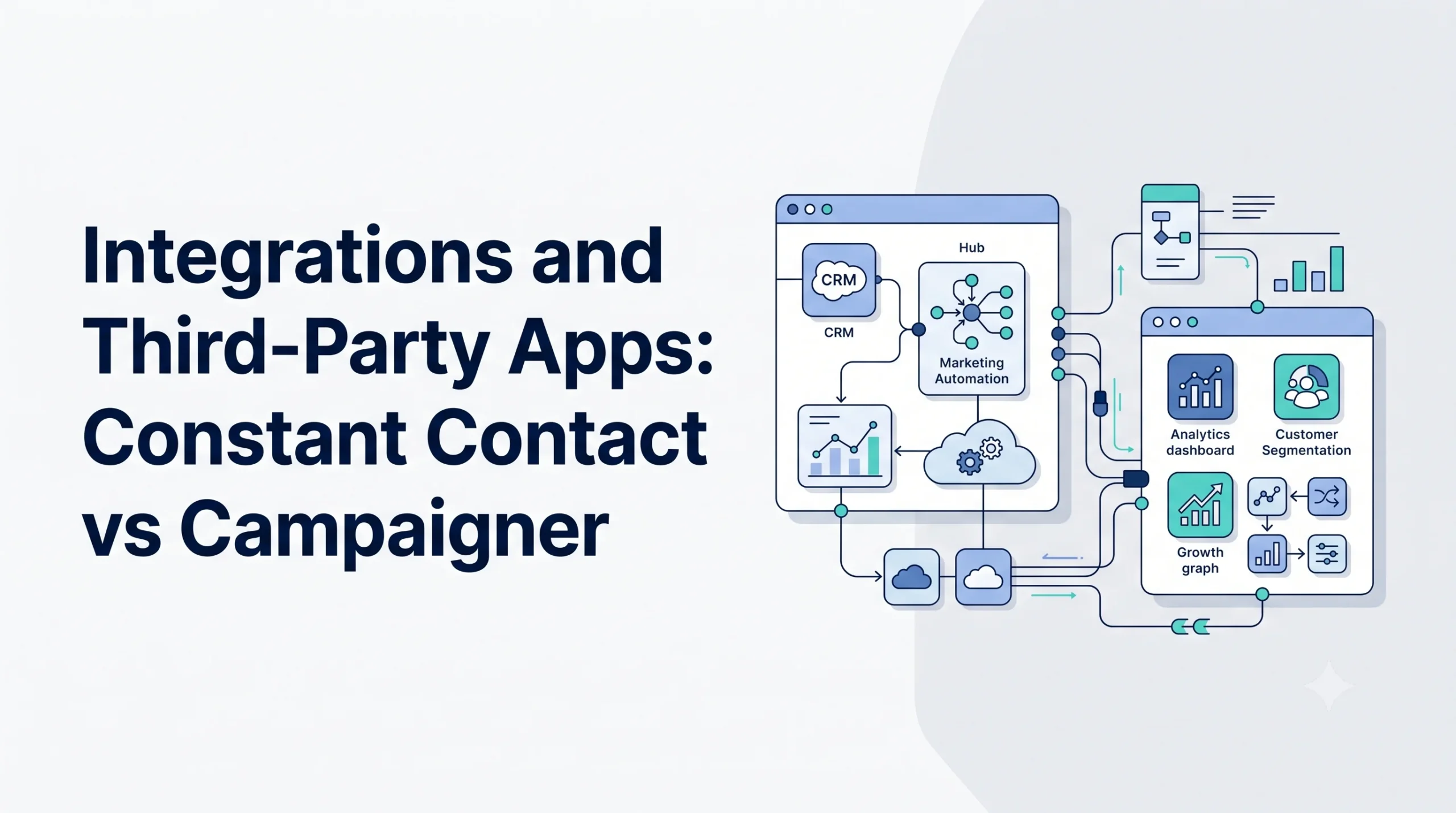
In digital software ecosystems, an integration is a data bridge that connects two completely separate applications, allowing them to share information automatically in real time. Third-party apps are independent software tools—such as Shopify, Salesforce, WordPress, or QuickBooks—that you connect to your primary marketing hub.
For example, when an integration is active between an online store and an email tool, a new purchase instantly triggers an update. The storefront passes the customer’s name, email address, and purchase history directly over to the email platform without any human intervention.
This synchronization happens primarily through two methods:
- Native Integrations: Built-in, direct connections developed by the software companies themselves. They usually require just a few clicks to authorize and sync.
- API (Application Programming Interface) Connections: Custom code setups that developers use to tie unique or proprietary systems together.
Why Integrations Are Critical for Email Marketing
Operating an email campaign without third-party connectivity severely limits your business growth. Integrations turn your email application from a simple digital message broadcaster into a highly intelligent, responsive marketing engine.
Elimination of Manual Data Entry
Manually moving contact sheets between your sales tracking tools and your email marketing dashboard is incredibly inefficient. Real-time data syncing ensures that when a client changes their contact details or unsubscribes in one platform, the update reflects universally across your business systems instantly.
Advanced Audience Personalization
To send highly relevant messages, you need behavioral data. By connecting your email tool to your billing system or website analytics, you gain immediate insight into what your customers are actively browsing or buying. This allows you to group contacts based on exact shopping habits. For a detailed guide on utilizing this approach, consult our Audience Segmentation Guide.
True Marketing Automation
Many advanced automated workflows depend entirely on external data triggers. An integration makes it possible to send an automated delivery confirmation email, a personalized birthday discount code, or a dynamic abandoned cart reminder the exact moment an action occurs on an external website. To explore this concept further, read through Marketing Automation Explained.
How Email Software Integrations Work
The underlying mechanics of software connections rely on automated messages called webhooks and triggers. Think of a trigger as an event that happens in App A, which causes an immediate action to unfold in App B.
[App A: Shopify Storefront]  --> User abandons a shopping cart at checkout.
            |
            v (Integration Bridge / Webhook transmits purchase data)
            |
[App B: Email Platform]     --> Automated email engine sends a reminder message.
When evaluating a software ecosystem, you must check whether the integration supports one-way syncing or two-way syncing. One-way syncing simply sends data in one direction (e.g., from your store to your email tool). Two-way syncing ensures that updates made in either application immediately overwrite and update the other, keeping both databases perfectly identical.
Types of Integrations to Look For
When assessing email platforms like Constant Contact or Campaigner, classify your integration needs into these core functional categories:
E-commerce Connectors
These link your email system to storefront engines like Shopify, WooCommerce, Magento, or BigCommerce. They transmit critical data points including order history, cart abandonment statuses, and total customer lifetime value.
Customer Relationship Management (CRM) Syncs
Essential for sales-driven operations, these integrations connect your email tools with platforms like Salesforce, HubSpot, or Zoho CRM. They allow sales teams to see exactly how prospective clients are interacting with marketing newsletters.
Lead Capture and Form Tools
These connect external landing page builders, webinar platforms (like Zoom), and quiz apps to your main subscriber database, ensuring new leads flow smoothly into your marketing loops.
Middleware and iPaaS Solutions
When a direct native connection does not exist, businesses use integration platform-as-a-service (iPaaS) utilities like Zapier or Make. These tools act as universal adaptors, allowing you to build complex multi-app workflows without writing custom code.
Constant Contact: Integration Ecosystem Overview
Constant Contact is widely recognized for its highly accessible, beginner-friendly marketplace. The platform houses hundreds of pre-built, native integrations designed for small business operations, non-profits, and independent e-commerce stores.
The App Marketplace Experience
Constant Contact features a cleanly organized, searchable app store directly within its dashboard. Setting up a major connector like Shopify or QuickBooks typically involves clicking a “Connect Account” button, entering your account credentials, and choosing which contact lists to sync. The platform handles the technical mapping automatically behind the scenes.
Strengths in Small Business Tooling
Constant Contact excels at connecting with tools common among growing businesses and community organizations. Its native integrations for Eventbrite (for event management), DonorPerfect (for non-profits), and various social media management platforms allow users to run diverse campaigns without touch a line of code.
Limitations to Consider
While extensive, Constant Contact’s native integrations sometimes favor simplicity over deep customization. If you require highly intricate data mapping—such as pulling highly specific, non-standard custom fields out of a complex database enterprise setup—you may find the built-in configuration screens somewhat restrictive.
Campaigner: Integration Ecosystem Overview
Campaigner positions itself as an advanced email marketing platform geared toward mid-market companies, high-volume senders, and technical marketers who demand deeper data manipulation and sophisticated automation logic.
Robust API Architecture
The defining feature of Campaigner’s integration strategy is its powerful, developer-friendly API framework. While it provides native shortcuts for standard applications, Campaigner is explicitly built to handle custom-coded, heavy-duty data streaming from proprietary corporate databases and enterprise internal architecture.
Advanced E-commerce and CRM Syncing
Campaigner provides highly granular data mapping for major e-commerce platforms and high-level CRMs like Salesforce. Instead of just syncing basic contact info, it allows you to map intricate behavioral purchase indicators, purchase velocity metrics, and custom transactional attributes directly into your automation builders.
Limitations to Consider
The primary trade-off with Campaigner is accessibility. Because its architecture is built to support advanced technical flexibility, the setup process for non-standard or custom integrations can feature a steeper learning curve for complete beginners who lack access to development resources or advanced IT experience.
Side-by-Side Comparison: Constant Contact vs Campaigner
To help you decide which integration strategy matches your business workflow, let’s contrast how these two platforms perform across key third-party software categories.
| Software Category | Constant Contact Integration Performance | Campaigner Integration Performance |
|---|---|---|
| Marketplace Size | 500+ apps, highly focused on small-to-mid business tools. | Focused selection of core native apps with expansive custom API options. |
| E-commerce Setup | One-click native setup for Shopify and WooCommerce; highly visual. | Deep, detailed data synchronization for tracking complex purchasing paths. |
| CRM Connectivity | Simple list syncing for popular CRMs like Salesforce and Zoho. | Highly granular custom field mapping and bi-directional sales tracking. |
| Zapier Integration | Fully supported; makes connecting niche apps incredibly simple. | Fully supported; allows for complex multi-step automation logic. |
| Developer Tools | Standard API options with accessible online documentation. | Highly advanced, robust API built for massive data streaming. |
Benefits of Choosing the Right Integration Framework
Aligning your email marketing platform with your existing software stack yields immediate, tangible performance benefits for your daily business operations.
Reduced Tech Stack Friction
When your systems sync flawlessly, your team spends less time troubleshooting technical issues and more time designing high-value content. Software should assist your business growth, not create additional maintenance hours.
Enhanced Measurement Accuracy
Flawless integrations allow you to track an online consumer from their initial ad click, through their email engagement history, all the way to their final invoice payment. This end-to-end transparency gives you a clear look at your true marketing numbers. For a guide on analyzing these final metrics, consult our Email Analytics Guide.
Scalable Business Operations
A highly integrated software setup allows your business to handle thousands of incoming leads or customer purchases simultaneously without hiring a massive administrative team to manage data entry.
Challenges in Managing Third-Party Apps
Even with robust platforms like Constant Contact or Campaigner, maintaining an interconnected software system presents ongoing hurdles you must prepare for.
- Integration Maintenance and Breakage: Third-party apps regularly update their software interfaces. A change made by an external tool can occasionally disrupt an established integration bridge, requiring a manual reconnection.
- Data Mapping Confusion: If your data fields are misaligned during the initial setup (e.g., mapping a phone number field into a birthdate field), your automated emails will display incorrect, confusing personalizations.
- Hidden Subscription Costs: While an integration itself might be free, connecting apps through middleware services like Zapier can require premium paid tiers if your business processes a high volume of monthly automated tasks.
Best Practices for Integrating Your Email Platform
To prevent technical errors and preserve the health of your customer databases, adhere to these industry best practices during configuration:
- Audit Your Tech Stack Before Buying: Document every single piece of software your business currently uses. Check the app marketplaces of both Constant Contact and Campaigner to verify if your existing tools feature direct, native support.
- Test Connections in a Sandbox or Draft Environment: Before launching a live integration to your entire subscriber list, run a few test contacts through the loop to confirm that names, tags, and tracking data sync properly.
- Establish One Clear Source of Truth: Decide which application holds the definitive, master profile for your customers (usually your CRM or your e-commerce engine) and configure your email system to follow that primary database.
- Keep Your Subscriber Data Organized: Regularly monitor how tags and segments cross over between your connected apps to ensure your messaging remains highly targeted. For further management strategies, see our Audience Segmentation Guide.
Common Mistakes to Avoid
Watch out for these frequent integration missteps to keep your automated workflows running smoothly:
- Assuming All Integrations Are Two-Way: Never assume data flows back and forth automatically. Read the software documentation closely to confirm whether changes made inside your email platform will update your external store database.
- Running Overlapping Sync Tools: Connecting the same two apps via a direct native connector and a third-party Zapier workflow simultaneously can create duplicate contacts and send conflicting automated emails to your customers.
- Ignoring Software API Limits: High-volume enterprise businesses must monitor API call limits. If your applications transfer massive amounts of data continuously, check that your subscription plan accommodates that data volume.
Real-World Integration Use Cases
Let’s look at how choosing between these two distinct software approaches plays out in practical business settings.
Scenario A: The Growing Boutique Brand
A small online apparel boutique manages its storefront using Shopify and runs local pop-up markets using Eventbrite. They choose Constant Contact because they can link both tools to their email dashboard natively within minutes.
The intuitive interface allows them to automatically send post-purchase thank you notes and invite past event attendees to join their local loyalty lists without needing technical support.
Scenario B: The Enterprise B2B SaaS Provider
A business-to-business software company uses a custom-built product platform alongside a heavily customized Salesforce CRM setup. They select Campaigner because their development team can leverage its advanced API architecture to feed real-time user engagement data straight from their app into their email automation streams, triggering precise upsell emails based on exact feature usage.
Finding Your Ideal Email Marketing Platform Fit
Selecting the right platform involves balancing ease of use against your long-term technical scaling requirements. Both tools are highly capable, but they serve different user profiles.
If you are a beginner looking for a straightforward, highly visual setup, exploring a platform with a strong, pre-built ecosystem is a logical first step. On the other hand, if you require highly complex data workflows, specialized delivery features, or manage massive subscriber bases, you may want to examine advanced email software alternatives.
Other popular platforms in the wider digital marketing space—such as Mailchimp, Brevo, ActiveCampaign, or GetResponse—offer their own unique blends of native app marketplaces and automation logic. Reviewing these options alongside your current tools ensures you build a cohesive marketing system. For a complete blueprint on evaluating these variables, refer to our comprehensive resource, How to Choose an Email Marketing Platform.
Frequently Asked Questions
What is the difference between a native integration and a Zapier connection?
A native integration is a built-in connector created directly by the software companies, allowing them to communicate without external tools. A Zapier connection uses a third-party middleware platform to act as a bridge between two apps that do not share an existing native link.
Will integrating my e-commerce store slow down my website?
No. Modern software integrations pass data through cloud-based APIs and webhooks behind the scenes. This communication occurs independently of your front-end website loading processes and will not degrade your visitors’ browsing speeds.
Do I need to know how to code to use Campaigner’s integrations?
Not for core, standard applications like Salesforce or Shopify, which feature established setup procedures. However, unlocking Campaigner’s full capability for custom internal systems or proprietary databases generally requires basic development knowledge or IT assistance.
Can I change my integration settings after data syncing has begun?
Yes. You can edit your data mapping fields, pause data syncing, or completely disconnect an application from your email dashboard at any time through your account’s integration settings panel.
Are there extra fees associated with using third-party apps?
While Constant Contact and Campaigner do not usually charge additional fees to access their native app stores, the third-party platforms themselves (or middleware services like Zapier) may require specific paid subscription tiers to authorize API access.
Pre-Integration Launch Checklist
Run through this functional checklist before connecting any new application to your email marketing system:
- [ ] Confirmed that your primary apps are natively supported or connectable via Zapier.
- [ ] Backed up your existing contact lists by exporting a clean CSV file.
- [ ] Checked whether the integration supports one-way or bi-directional data syncing.
- [ ] Mapped out your custom field matching on paper to avoid technical errors.
- [ ] Sent a series of test contacts through the integration to confirm successful data transfer.
Conclusion
Your email marketing strategy is only as powerful as the data that feeds it. Choosing between Constant Contact and Campaigner when it comes to integrations ultimately hinges on the complexity of your business ecosystem. Constant Contact offers an incredibly accessible, plug-and-play app experience perfect for small businesses and non-profits seeking quick, reliable setups. Campaigner provides a deeply customizable, developer-friendly playground built to handle intricate data structures and enterprise-level automation paths.
To build a truly automated, scaling business, analyze your existing tech stack, identify your vital data triggers, and select the integration framework that allows your software platforms to work smoothly as a unified team. For a step-by-step introduction to the fundamentals of launching your first list-building campaigns, see our beginner’s guide on Email Marketing Basics.