Choosing the right software platform to drive your digital communication strategy is one of the most critical decisions an online business can make. When you look at the options available in the market, the sheer density of feature lists, integration checkboxes, and pricing tiers can feel deeply overwhelming. It is easy to find yourself paying for complex enterprise software when all you genuinely need is a dependable system to get clean messages to your audience.
Constant Contact has spent over two decades positioned as a prominent name in the digital space. Known historically as a user-friendly tool built specifically for small businesses, local brick-and-mortar storefronts, and growing organizations, the platform has evolved significantly to keep pace with modern technical trends.
Icegram
This comprehensive guide breaks down the core features of Constant Contact objectively. We will examine what the software does, how its mechanics function under the hood, and where its actual operational limitations reside, helping you determine if its functional ecosystem aligns with your specific technical workflows.
What Is Constant Contact?
Constant Contact is an all-in-one digital marketing platform designed primarily to help businesses capture leads, nurture subscriber relationships, and manage multi-channel campaigns. While it started exclusively as an email marketing utility, its modern architecture includes tools for short message service (SMS) communications, social media post scheduling, digital advertising management, and full event registration coordination.
G2
Unlike technical platforms that target advanced software engineers or data scientists with intricate coding requirements, this software provides a highly visual interface. It serves as a centralized hub where non-technical operators can manage their audience database and build promotional assets from a single, unified dashboard.
Gartner
To see how platforms like this fit into the broader online ecosystem, check out our complete breakdown in What Is Digital Marketing?
Why Platform Feature Analysis Is Critical
When selecting an email or automation engine, it is easy to fall into the trap of buying a platform based on brand recognition alone. However, every digital marketing environment has distinct requirements that require specific functional capabilities.
Budget Architecture Alignment
Many software platforms gate their most valuable tools behind premium, high-tier pricing structures. If you fail to analyze a platform’s precise feature layout before importing your database, you may discover that basic workflows—like branching automation logic or detailed list cleaning tools—require an unexpected and costly plan upgrade.
Mailsoftly
Day-to-Day Workflow Efficiency
Your marketing and operations teams will spend hours interacting with your chosen software. If the interface is clunky, if template editing is overly restrictive, or if the contact data mapping requires constant manual maintenance, your team’s productivity drops. Evaluating features directly ensures you select a system that streamlines, rather than complicates, daily tasks.
Delivering the Right User Experience
Your chosen software directly dictates how your customers perceive your brand. Clean layouts, reliable delivery infrastructure, and personalized message triggers create a professional impression, while broken layouts or misconfigured automated flows can actively alienate your audience.
How Constant Contact Works
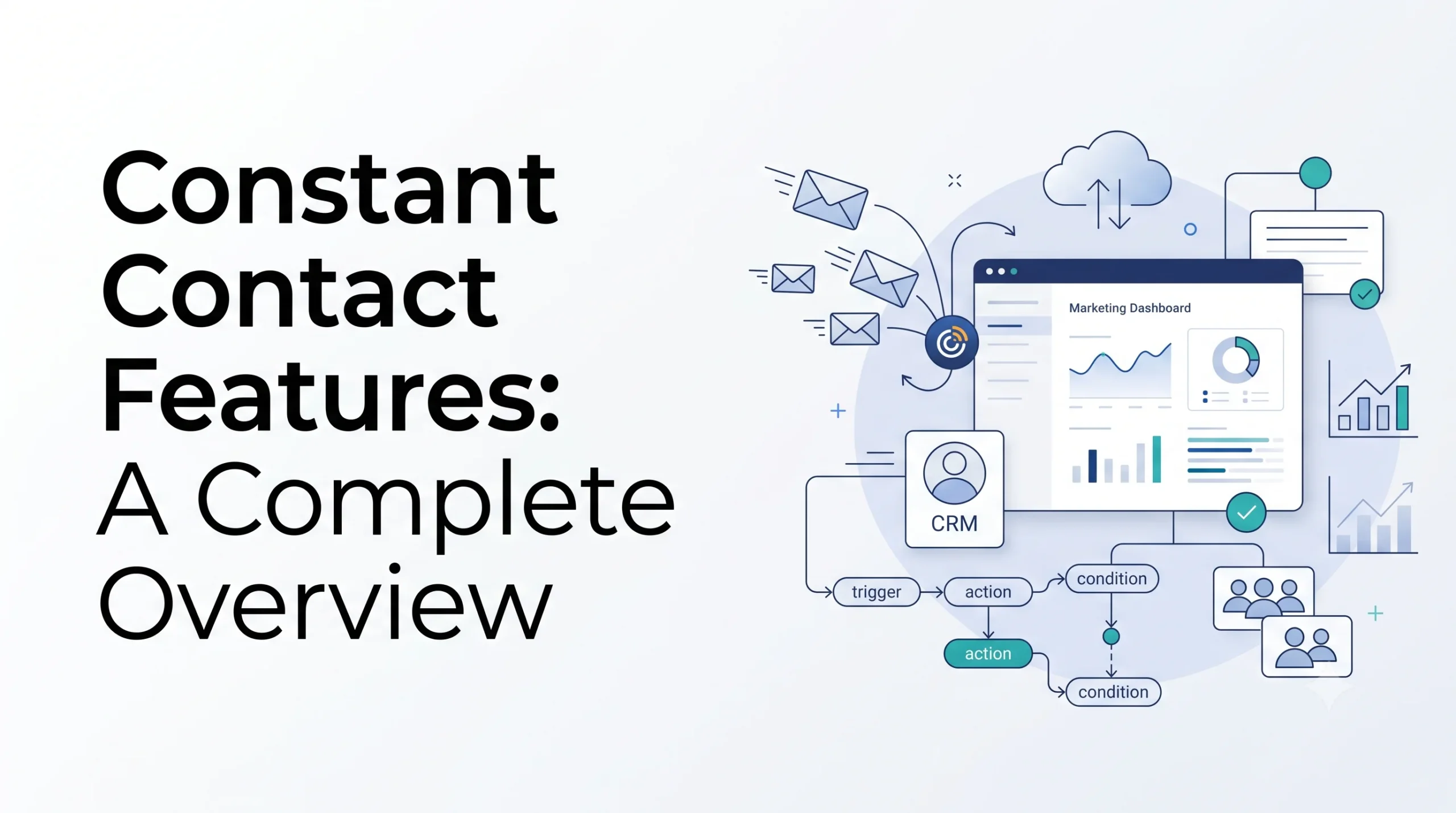
The system operates on a cloud-based model, managing your audience data via a structured customer relationship management (CRM) database light framework. When you log into the platform, the primary dashboard guides you through an intentional, step-by-step campaign creation flow.
The functional cycle inside the software typically follows this linear path:
[Audience Intake]  --> Capture leads via embedded website signup forms or landing pages.
[Data Organization] --> Segment contacts using custom tags, engagement histories, or lists.
[Asset Creation]   --> Build emails, SMS paths, or social posts via visual drag-and-drop engines.
[Delivery & Track] --> Deploy campaigns securely and analyze real-time open, click, and bounce metrics.
To optimize your delivery success, the platform maintains strict internal anti-spam protocols and guide users through proper domain authentication. This backend structure ensures your messages bypass generic junk folders and land directly in the user’s primary inbox.
Mailsoftly
Breakdown of Core Features
To understand if this platform fits your specific infrastructure, let’s dissect the distinct feature categories that make up its functional architecture.
1. The Drag-and-Drop Email Builder MailerLite
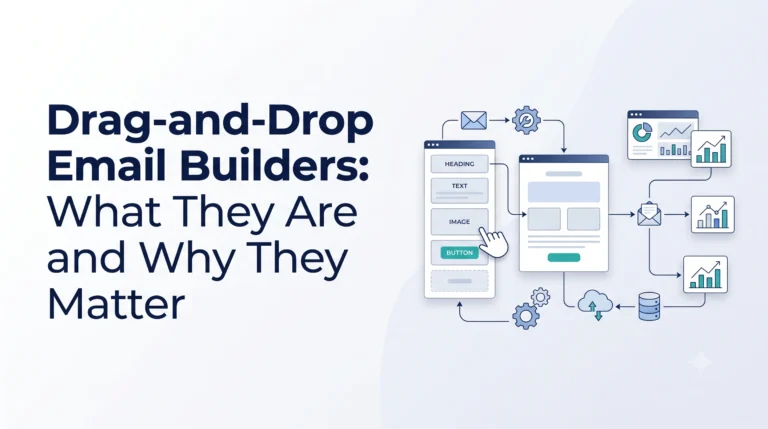
The visual campaign editor is the foundational anchor of the platform. Designed explicitly for ease of use, it utilizes a modular content block system that eliminates any requirement for HTML or CSS knowledge.
MailerLite
- Pre-Built Design Templates: Access to hundreds of mobile-responsive layouts tailored to specific industries, seasonal events, and promotional launches. G2
- Modular Content Layouts: Users can easily drag text areas, high-resolution image frames, video thumbnails, button components, and interactive polls directly into the active email workspace. G2
- Mobile Stacking Controls: A modern control option that allows you to specify exactly how columns stack on a smartphone screen, preventing awkward visual layouts without changing the desktop design view. Constant Contact Knowledge Base
- Saved Layout Sections: To save design time across recurring newsletters, users can isolate and save specific content blocks—such as footers, brand headers, or signature blocks—for instant reuse in future campaigns. Constant Contact Knowledge Base
2. Built-In AI Content Generation Tools PCMag UK
The platform incorporates predictive text and generative AI engines to assist teams struggling with writer’s block or tight production deadlines.
PCMag UK
- AI Campaign Builder: By entering a simple textual prompt outlining your campaign goals and target tone, the system automatically builds cohesive email copy, companion social media posts, and text alerts. G2
- Subject Line Optimization: The system analyzes your historical engagement data and suggests alternative subject lines designed to improve visibility in the inbox. Constant Contact
- ChatGPT App Integration: A dedicated application workflow allows teams to iterate on complex messaging angles within a chat interface, pulling visual assets from their existing media library seamlessly. Constant Contact Knowledge Base
3. Contact Management and Segmentation
An email tool is only as powerful as the data organization driving it. The platform offers direct lead-capture utilities and list segmentation parameters to ensure your messaging targets the proper subsets of your audience.
Software Advice
- Invisible Honeypot Protection: Built directly into native signup forms, this security feature detects and blocks automated spam bots without forcing real human users to fill out annoying verification puzzles. PCMag UK
- Behavioral Segmentation: Marketers can build custom filters that automatically group contacts based on recent actions, such as whether they clicked a specific link, opened a recent sequence, or remained inactive for months. For a deeper study on this approach, review our Audience Segmentation Guide. PCMag UK
- Multi-Channel Imports: Contacts can be uploaded via classic spreadsheets (CSV, XLSX) or synced continuously through live application integrations with systems like HubSpot, Salesforce, and Pipedrive. PCMag Australia
4. Marketing Automation Workflows
Automating your customer communication paths saves immense manual labor. The platform provides pre-built blueprints and a multi-step builder to keep your business top-of-mind.
PCMag Australia
- Standard Behavioral Triggers: Instantly deploy welcome sequences to new signups, automated birthday greetings, or post-purchase check-ins.
- Custom Dynamic Paths: Higher tier plans unlock visual branching pathways where you can direct contacts down separate paths based on their interaction history or specific profile fields. For an analytical breakdown of these concepts, explore Marketing Automation Explained.
- Resend to Non-Openers: A simple, high-performing single-click feature that automatically duplicates a campaign and resends it to subscribers who missed the initial send, using an alternate subject line. Software Advice
5. Multi-Channel Marketing: SMS, Social, and Events Constant Contact
Unlike simple utilities that focus purely on the inbox, this software branches directly into alternative digital spaces to maximize your visibility.
Constant Contact
- Integrated SMS Texting: Capture compliant phone numbers on your web forms and launch targeted text campaigns alongside your email schedules.
- Social Media Scheduling & Advertising: Draft, schedule, and publish posts to LinkedIn, Facebook, and Instagram from the core dashboard, while monitoring comments and performance metrics in real time. PCMag UK
- Complete Event Management: A specialized sub-system designed to create custom event landing pages, manage RSVPs, sell digital event tickets, handle electronic payment collection, and send automated confirmation reminders. MailerLite
Feature Comparison Across Tiers
To clearly evaluate how these functions scale, let’s examine how the platform groups its capabilities across its primary service tiers.
| Feature Classification | Lite Tier | Standard Tier | Premium Tier |
|---|---|---|---|
| Email Design Builder | Full access (Basic blocks) | Full access (Advanced blocks) | Full access (Dynamic content blocks) |
| AI Campaign Generation | Excluded | Fully included | Fully included |
| Automation Flow Depth | Welcome email trigger only | Multi-step drip paths (Up to 3) | Unlimited custom branching paths |
| A/B Testing | Excluded | Subject lines only | Full split-testing capabilities |
| SMS Marketing Capacity | Add-on basis only | Add-on basis only | 500 included texts per month |
| Reporting Detail Level | Basic opens and clicks | Heatmaps and comparisons | Full device and proxy tracking |
Key Benefits of the Constant Contact Feature Set
When utilizing this platform to run your daily outreach, several distinct benefits support your operational goals:
Unmatched Onboarding Simplicity
The software is explicitly built to minimize technical friction. The user interface features clear navigation tabs, contextual tooltips, and straightforward labeling that allows a absolute beginner to build, segment, and deploy a campaign successfully on day one.
Icegram
Reliable Customer Support Architecture
While many modern SaaS platforms restrict customer help to slow email ticketing or automated chat scripts, this platform retains active telephone support channels across all its standard plans. Having access to a live human agent to troubleshoot a live campaign issue provides significant security for small business teams.
Constant Contact+ 1
Exceptional Infrastructure Deliverability
The platform maintains an excellent sender reputation by strictly regulating list quality and processing bounces transparently. Its advanced reporting splits open data into Confirmed vs. Proxy categories, filtering out deceptive security bot clicks to give you an incredibly accurate view of your actual human reach. To understand what these technical values indicate, read our Email Analytics Guide.
Mailsoftly
Challenges and Functional Limitations
No software solution is flawless for every single business model. It is important to look at the practical limitations of this environment objectively before migrating your workflows.
- Restrictive Template Customization: While the drag-and-drop builder is highly stable, it enforces rigid structural guidelines. Advanced designers looking to build completely customized, bespoke layout spaces may find the block options limiting. Mailsoftly+ 1
- Escalating Cost Structure: The platform bases its pricing on the size of your contact database. As your subscriber lists expand into thousands of entries, monthly fees can climb rapidly compared to alternative platforms like Brevo or MailerLite.
- Basic Core Automation: While the premium tier introduces branching paths, the core automation engine lacks the hyper-advanced behavioral conditional triggers found in dedicated systems like ActiveCampaign or Campaigner.
- Gated Optimization Tools: Important growth utilities, including comprehensive multivariate split testing and detailed search engine optimization recommendations, remain restricted to the most expensive tier. Mailsoftly
Platform Best Practices
If you choose to implement this software, following these core operational best practices will maximize your return on investment:
- Activate Honeypot and Double Opt-In: Protect your database quality by using the platform’s hidden bot-protection mechanics to prevent spam entries from polluting your segments. PCMag UK
- Utilize the Resend to Non-Openers Tool Strategically: Do not overuse this feature, as it can cause audience fatigue. Limit it to major announcements or time-sensitive promotional deadlines, altering the subject line completely.
- Review the Mobile Layout Toggle Constantly: Always switch your editing view to the mobile preview panel. Ensure your primary call-to-action buttons are easily clickable and centered for thumb interactions.
- Clean Your Inactive Contacts Quarterly: Because pricing scales directly with list volume, use the behavioral filters to isolate and remove subscribers who have not interacted with your emails for over six months.
Common Mistakes to Avoid
Watch out for these frequent implementation errors to ensure your metrics remain strong:
- Importing Unverified Third-Party Lists: Buying or scraping email lists violates the platform’s terms of service and will damage your sender reputation, frequently resulting in account suspension. Stick exclusively to organic, permission-based growth.
- Overlooking the Integration Settings: Many operators manually export and import contact sheets weekly. Save time by linking your e-commerce store (like Shopify or WooCommerce) directly to auto-sync your consumer purchase history. Constant Contact
- Using Complex, Truncated Subject Lines: Keep your titles under 50 characters so they display cleanly on mobile device notification screens without cutting off essential details.
Real-World Operational Examples
Let’s look at two specific business scenarios where these features apply directly to daily operations.
Scenario A: The Local Non-Profit Organization
A regional charity wants to organize their annual fundraising dinner. Instead of buying individual tools for ticketing, email blasts, and landing pages, they run everything through this single platform.
Software Advice
They use the Event Management feature to design a ticketless RSVP page, coordinate automated reminders to registrants, and use the core email editor to share fundraising updates with donors, saving significant software overhead.
Scenario B: The Growing E-Commerce Brand
A boutique online retailer wants to capture abandoning web shoppers. They connect their store integration to sync live customer data.
When a user exits without buying, an automated Standard drip flow deploys an abandoned cart follow-up sequence. To boost conversion odds, they apply the Resend to Non-Openers utility to target shoppers who missed the initial incentive offer.
Software Advice
Choosing Your Email Automation Platform
Selecting the right foundation for your business communication requires balancing your budget against your technical skill level.
- For Absolute Simplicity: If your primary operational goals revolve around clean visual curation, reliable delivery infrastructure, and direct telephone support, Constant Contact holds a strong advantage. Constant Contact
- For Budget-Conscious Teams: If you possess a massive contact list but send messages infrequently, platforms like Brevo or MailerLite may provide more economical pricing frameworks.
- For Advanced Behavioral Sales Funnels: If your business model relies on highly complex user tracking, sophisticated lead scoring, and deep database personalization, look toward platforms such as ActiveCampaign or GetResponse.
Before purchasing any annual software plan, take full advantage of standard trial periods. Test out the visual builders, analyze how easily you can map data fields, and check if the template systems match your brand identity. For a comprehensive comparison checklist, refer to our buying guide: How to Choose an Email Marketing Platform.
Frequently Asked Questions
Is Constant Contact easy for a beginner to learn?
Yes. The platform is widely considered one of the most accessible options available for beginners. Its drag-and-drop workspace completely eliminates the need for coding, and the clear dashboard layout minimizes the overall learning curve.
Icegram+ 1
Does the platform offer a completely free plan?
No. While the platform does not offer a permanent free tier, it provides a comprehensive 30-day free trial period that allows you to test the template libraries, social scheduling tools, and list management systems before choosing a paid plan.
PCMag UK
Can I manage SMS marketing and email inside the same campaign?
Yes. On higher-tier plans or through specialized add-on packages, you can capture compliant phone numbers on your signup forms and coordinate your text alerts directly alongside your main email delivery schedules.
How does Constant Contact protect email deliverability?
The platform enforces strict permission-based listing guidelines to keep its shared IP addresses clean. Additionally, it offers built-in domain authentication tools (like DKIM and SPF setups) to ensure your campaigns reach the primary inbox reliably.
Mailsoftly+ 1
Can I run event ticket sales directly through the platform?
Yes. The built-in event management system allows users to create dedicated event registration pages, track digital RSVPs, issue ticketing confirmations, and collect electronic payments smoothly without needing external software plugins.
Core Technical Checklist
Use this checklist to ensure your account setup is fully optimized:
- [ ] Configured custom SPF and DKIM domain authentication records for delivery safety. Mailsoftly
- [ ] Enabled Honeypot Bot Protection across all live website signup forms. PCMag UK
- [ ] Checked the mobile stacking orientation settings inside your primary template. Constant Contact Knowledge Base
- [ ] Connected your website or e-commerce store via direct app integration to auto-sync contacts. PCMag UK
- [ ] Segmented your database to separate active customers from top-of-funnel prospects. Constant Contact
Conclusion
Constant Contact remains a reliable, feature-rich choice for small businesses, local services, and mid-sized teams prioritizing ease of use over advanced development customization. By combining robust drag-and-drop design editors with practical AI writing assistance, integrated social scheduling, and specialized event management tools, it provides a unified ecosystem that addresses almost all your core digital marketing requirements.
Software Advice
To maximize its value, map your business needs directly to its specific plan tiers, maintain tight list-cleaning practices to manage subscription costs, and use automated paths to deliver relevant value straight to your audience’s inbox.