Selecting the right email software can feel like buying a pair of shoes online. A specific platform might look fantastic in a promotional video, come packed with advanced features, and boast glowing five-star reviews. However, if that software does not fit the day-to-day operational realities of your specific business type, it will ultimately slow you down and drain your marketing budget.
In the massive world of online communication, Constant Contact stands out as one of the oldest and most recognizable names on the market. It is frequently mentioned alongside major platforms like Mailchimp, Brevo, or GetResponse. Yet, many small business owners and beginner marketers struggle to figure out whether its specific feature set truly aligns with their unique goals.
The truth is that no single marketing software tool is universally perfect for everyone. A platform that serves a local brick-and-mortar boutique beautifully might frustrate a high-volume global e-commerce brand or a dedicated technical developer. This comprehensive guide breaks down exactly what Constant Contact is, how its system operates, and precisely who should choose it to maximize their marketing success.
What Is Constant Contact?
At its core, Constant Contact is an all-in-one digital marketing platform that specializes in email marketing, event management, and list growth. Launched during the early days of the commercial internet, the platform has evolved from a simple email delivery system into a broader marketing hub. Today, it offers tools for social media scheduling, basic marketing automation, SMS text marketing, and landing page creation.
Unlike highly technical platforms that require a background in coding or complex data analytics, Constant Contact designs its interface specifically for non-technical users. It focuses heavily on drag-and-drop design builders, pre-made template libraries, and clean, easily digestible reporting metrics.
For beginners who are still exploring the wider landscape of online growth, understanding how tools like this fit into a larger business strategy is essential. To get a complete foundational overview of the industry, take a moment to read our introductory guide, What Is Digital Marketing?
Why Choosing the Right Email Software Is Important
Your email marketing platform functions as the central engine for your customer retention and relationship-building efforts. Making an incorrect choice early on can lead to significant technical and financial headaches down the road.
Mitigating Migration Friction
Once you select a platform, you will spend hours uploading contact lists, designing custom templates, setting up automated welcome sequences, and collecting subscriber data. Moving all of those assets to a competing software provider later because you outgrew your initial tool is a tedious, complex process that can disrupt your active campaigns.
Optimizing Marketing Budgets
Most email service providers structure their subscription pricing based on the total number of contacts stored in your database. If you choose a platform loaded with enterprise-level features that you never actually use, you end up paying a premium for unnecessary complexity. Selecting a tool that matches your exact operational scale keeps your overhead low.
Protecting Email Deliverability
Deliverability refers to the percentage of emails that successfully land in your subscribers’ primary inboxes rather than getting trapped in spam or promotions folders. Different software platforms maintain varying technical reputations with major internet service providers. Choosing a reliable, established platform ensures your messages actually reach your audience.
How Constant Contact Works
Constant Contact operates on a straightforward, visual dashboard system. The user experience is built around three core operational steps: list building, campaign creation, and performance analysis.
The basic workflow inside the platform follows a structured path:
[Audience Import] --> Upload a CSV file or collect sign-ups via a web form.
[Visual Design]   --> Select a template and drag text or images into place.
[Targeted Send]   --> Choose a specific subscriber segment and schedule the broadcast.
[Data Analytics]  --> Track open rates, link clicks, and bounces in real time.
The system manages the technical backend of your email operations automatically. It handles unsubscribe requests to keep you legally compliant with privacy laws, formats messages so they display correctly on mobile screens, and monitors your overall sender reputation. For a deeper look at these core mechanisms, check out our guide on Email Marketing Basics.
Key Feature Types Within the Platform
To determine if this platform fits your business, you need to understand the distinct feature types included in its monthly subscription tiers.
1. Drag-and-Drop Email Builder
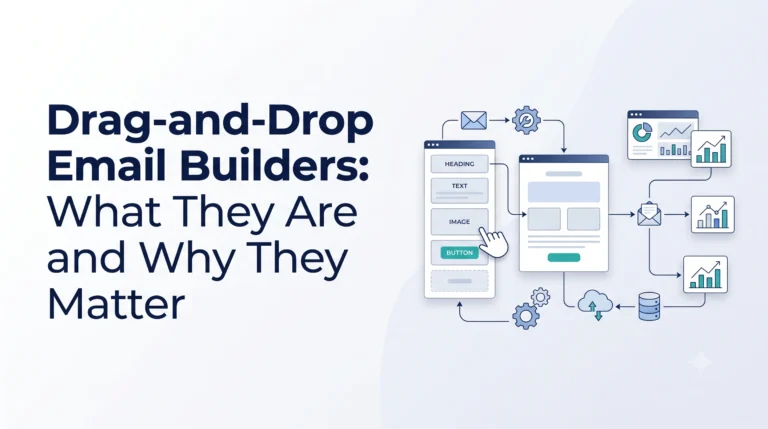
The centerpiece of the software is its visual email editor. Users can choose from hundreds of mobile-responsive templates tailored to specific industries or holidays. You can customize fonts, colors, and layouts by dragging elements directly onto the canvas, eliminating any need to interact with raw HTML or CSS code.
2. Event Management Tools
Unlike many competitors such as ActiveCampaign or Campaigner, Constant Contact includes native tools designed specifically for event planning. You can create public event registration pages, track ticket sales, send automated event reminders, and manage digital invitations directly inside your primary marketing dashboard.
3. Basic Marketing Automation
The platform allows you to set up automated email sequences driven by user behavior. For instance, you can configure the system to instantly send a welcome message when a new user joins your list, or deploy a follow-up offer to subscribers who clicked a specific link in a previous newsletter. To explore how these automated workflows save time, consult Marketing Automation Explained.
4. SMS and Social Media Integration
In addition to email, the system offers built-in tools to manage SMS text messaging campaigns and schedule organic social media posts across networks like Facebook, Instagram, and LinkedIn. This allows small teams to coordinate multi-channel campaigns from a single interface.
The Benefits of Choosing Constant Contact
For the right type of user, this platform offers clear operational advantages that streamline day-to-day marketing tasks.
Low Technical Learning Curve
The interface is intentionally designed to be intuitive for absolute beginners. If you know how to use basic word-processing software and crop an image, you can build a professional-looking email campaign inside this system within an hour.
Reliable Customer Support
While many modern software companies limit their support to automated chatbots or delayed email ticketing systems, Constant Contact provides live phone support and real-time chat assistance. This direct human access is highly valuable for small businesses that cannot afford to wait days for a technical answer.
Excellent Deliverability Rates
Because the platform enforces strict anti-spam rules and has maintained close technical relationships with major inbox providers for decades, its delivery network is highly reliable. This gives you peace of mind that your messages will successfully reach your audience’s main inbox.
The Challenges and Limitations to Consider
To maintain an objective, unbiased perspective, it is critical to balance those benefits against the platform’s natural limitations.
- Higher Pricing Scale: Compared to budget-friendly options like Brevo or Mailchimp’s lower tiers, Constant Contact sits on the higher side of the pricing spectrum, especially as your contact list grows into thousands of subscribers.
- Basic Automation Logic: While excellent for simple welcome series, the platform lacks the complex, multi-branched conditional automation pathways found in advanced tools like ActiveCampaign.
- Rigid Template Design Limits: Advanced web designers may find the visual builder somewhat restrictive. Achieving highly customized, unconventional layouts can sometimes feel difficult within the structured drag-and-drop framework.
Comparing Software Approaches: At a Glance
To see where Constant Contact sits within the wider market, it helps to compare it directly against alternative software design styles.
| Feature Focus | Standard Hubs (Constant Contact) | Budget/Flexible Tools (Brevo) | Advanced Automation (ActiveCampaign) |
|---|---|---|---|
| Primary Audience | Small businesses, nonprofits, event hosts | Startups, budget-conscious senders | Advanced marketers, B2B sales teams |
| Ease of Use | High (Visual, beginner-friendly) | Moderate (Simple but technical setups) | Moderate to Low (Steep learning curve) |
| Event Tools | Excellent (Native registration features) | Minimal (Requires third-party apps) | Minimal (Requires integrations) |
| Automation Power | Basic (Linear trigger sequences) | Moderate (Behavioral workflows) | Deep (Complex branching conditional logic) |
| Support Channels | Live Phone, Chat, Community Forums | Email, Chat (Tier-dependent) | Chat, Email, Dedicated Strategy Sessions |
Best Use Cases: Who Should Choose This Platform?
Certain business models and organizational structures align perfectly with the specific strengths of Constant Contact. If your business falls into one of these categories, the platform deserves a spot on your shortlist.
1. Nonprofits and Community Organizations
Nonprofits frequently operate with small teams where employees handle multiple roles simultaneously. They rarely have a dedicated technical developer on staff. Constant Contact serves this sector well by offering specialized nonprofit templates, simple donation button integrations, and discounted pricing tiers for registered charities.
2. Local Event Coordinators and Hospitality Businesses
If your revenue depends on hosting live workshops, restaurant pop-ups, charity galas, or local classes, the native event management tools are a major asset. Being able to track ticket sales and send event reminders inside your main email tool eliminates the need to pay for and configure a separate event app.
3. Traditional Retailers and Service Providers
Local brick-and-mortar businesses—like salons, real estate agencies, landscaping firms, or hardware stores—need a reliable way to send monthly newsletters, holiday promotions, and simple automated holiday cards. They do not require complex sales pipelines; they need a clean, dependable tool that lets them create an email in 20 minutes and return to running their physical business operations.
Common Mistakes Businesses Make When Using the Software
Even if you choose the right tool, falling into poor strategic habits can cap your overall campaign performance.
- Paying for Inactive Subscribers: Because pricing scales with list size, keeping unengaged contacts who haven’t opened an email in six months drains your budget. Clean your lists regularly to keep your costs down. To learn what metrics to watch when filtering your subscribers, read our Email Analytics Guide.
- Ignoring Audience Segmentation: Sending every single email promotion to your entire database leads to high unsubscribe rates. Divide your contacts into smaller lists based on their unique interests or past behaviors. For a guide on organizing your contacts, see our Audience Segmentation Guide.
- Neglecting Mobile Design Checks: Always use the built-in mobile preview mode before hitting send. An image that looks perfect on a desktop monitor might accidentally cut off or crowd text when viewed on a smartphone screen.
Real-World Operational Examples
Let’s look at how two different business types utilize this style of software to drive real-world engagement.
Scenario A: The Local Community Theater
A regional theater company needs to sell tickets for an upcoming play. They use the Event Management feature to build a clean registration page detailing performance times and ticket prices.
They blast a visually appealing newsletter to their local subscriber list featuring production photos. As patrons register, the system automatically segments them into a “Ticket Holders” list, triggering a tailored automated reminder email 24 hours before showtime.
Scenario B: The Independent Consulting Practice
A boutique financial advisory firm wants to nurture relationship leads. Instead of aggressive sales pitches, they create a simple Automation Workflow.
When a website visitor signs up to receive a free retirement planning checklist, the platform automatically delivers the file. Over the next three weeks, the system gently sends three high-quality educational articles, building deep trust before the consultant ever reaches out for an initial phone call.
Evaluating Alternatives in Your Software Search
When finalizing your technology choices, it is wise to run your specific business needs through a structured evaluation process. The software market is vast, and the final selection should depend heavily on your internal resources and primary goals.
As you weigh your options, keep these criteria in mind:
- If you require deep sales pipelines: If your business model involves tracking long-term B2B sales cycles with complex team pipelines, an automation-first platform like ActiveCampaign or a comprehensive CRM suite might serve you better.
- If you are strictly budget-driven: If you are a brand-new startup with minimal initial capital and simply need to send basic plain-text updates, exploring budget-friendly models like Brevo or Mailchimp’s entry options can help keep initial overhead low.
- If your focus is user-friendly simplicity: If you want an intuitive visual experience backed up by a live phone support team to solve hiccups instantly, Constant Contact remains a strong, time-tested market contender.
Before committing to any premium annual subscription plan, use a clear comparison framework to test the software’s everyday usability. To learn how to systematically weigh these factors against your operating goals, review our detailed buying guide, How to Choose an Email Marketing Platform.
Frequently Asked Questions
Can I try the platform before committing to a paid plan?
Yes. Constant Contact typically offers a free trial period that allows you to test out the drag-and-drop builder, explore the pre-designed template library, upload a small test contact list, and send out trial campaigns before entering any credit card details.
How does Constant Contact price its subscription plans?
The platform uses a tiered pricing structure based primarily on the total number of email contacts stored in your account, combined with the level of features you select (such as adding SMS tools or advanced custom reporting attributes).
Is Constant Contact suitable for high-volume e-commerce stores?
While it integrates well with major platforms like Shopify and WooCommerce for basic syncing, dedicated e-commerce stores with massive databases often prefer specialized platforms like Klaviyo or Campaigner, which offer deep product recommendation engines and intricate behavioral cart-abandonment logic.
Do I need to know how to code to use this software?
No. The entire platform is built around a visual drag-and-drop interface. You do not need to know HTML, CSS, or any programming languages to build professional, mobile-responsive marketing campaigns and newsletters.
Can I manage my social media accounts through the dashboard?
Yes. The platform includes integrated social media tools that allow you to plan, create, schedule, and track organic posts across major networks like Facebook, Instagram, and LinkedIn from the same central marketing area.
Software Selection Checklist
Run your business parameters through this quick checklist to see if Constant Contact is the right fit:
- [ ] Your team lacks a dedicated web developer or technical designer.
- [ ] You require direct access to live phone and chat customer support.
- [ ] Managing live or digital events is a core part of your business model.
- [ ] You want a clean, simple dashboard that avoids overwhelming feature bloat.
- [ ] Your primary goal is to send clean newsletters and straightforward automated sequences.
Conclusion
Constant Contact has maintained its position as a major digital marketing tool by focusing heavily on simplicity, reliable delivery networks, and accessible human customer support. It does not try to be a highly complex, enterprise-level automation engine for technical developers. Instead, it aims to be a reliable, user-friendly digital marketing hub for everyday business owners and growing teams.
If your organization values native event management, clear visual design interfaces, and reliable phone support over intricate data branching logic, this platform provides an excellent, dependable foundation. Focus on keeping your contact lists clean, building helpful content for your target audience, and using basic segmentation to ensure your messages always hit home.